Point your iPhone at whatever you want to hear more of. It comes back through your headphones louder, a fraction of a second later. Free, with no ads and no account.
Runs on your iPhone. Nothing is recorded.
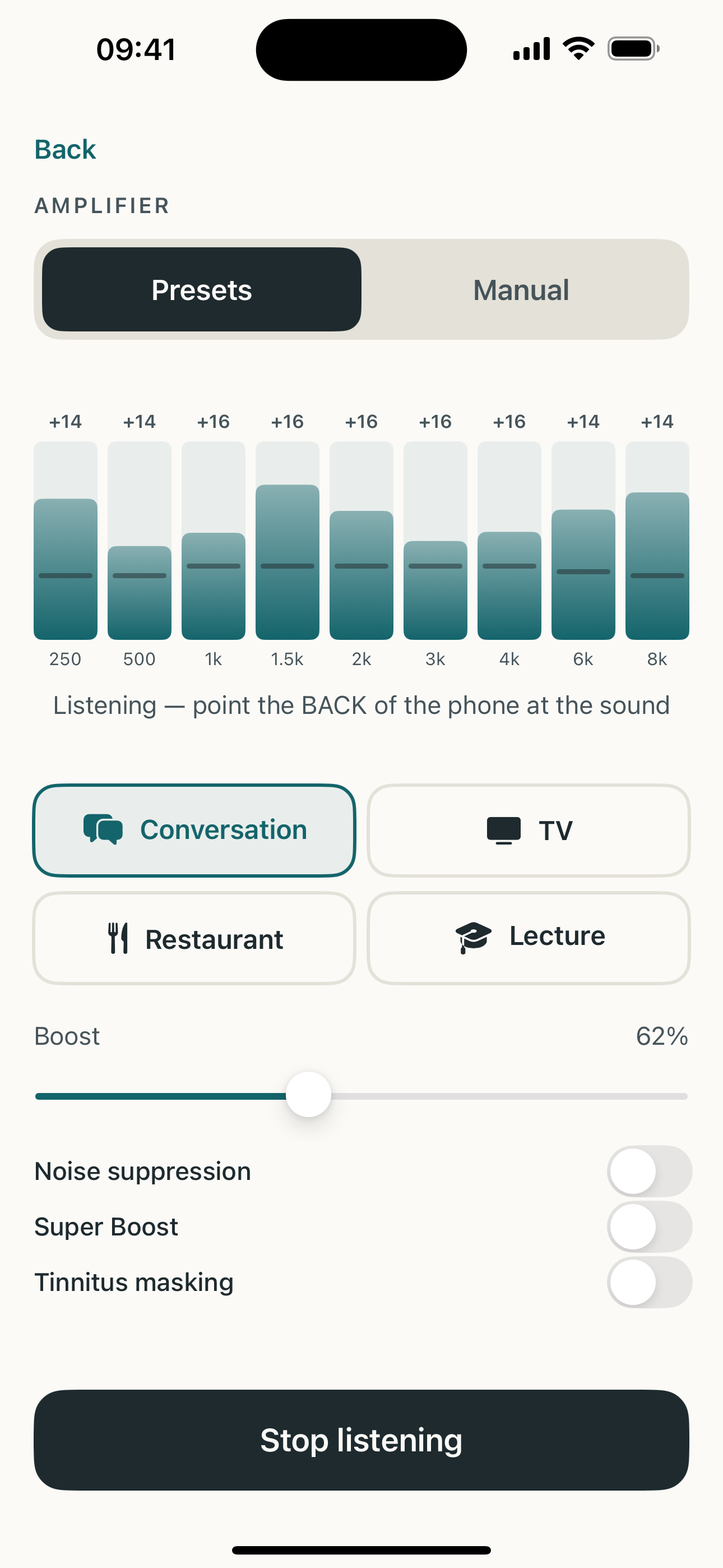
Wired or AirPods, whatever you already own. The microphone doing the listening is the one in your iPhone, so point the back of the phone toward the sound.
Conversation, TV, Restaurant and Lecture each shape the frequency bands for that kind of room. Drag the boost slider until the level sits where you want it.
Manual mode puts every band on its own slider, so you can lift the part of the sound you came for. Noise suppression helps when the room is busy.
It works with the headphones you already own. There's no extra hardware to buy.
Sound comes in through the iPhone microphone, gets boosted and reshaped on the way through, and reaches your headphones almost straight away.
Conversation, TV, Restaurant and Lecture. Pick one, then set how much with the boost slider, which compresses sudden peaks so nothing jumps out at you.
Manual mode gives you a slider per frequency band, with a chart showing how much boost each one is getting. Noise suppression cleans up a busy room.
Match the pitch of your ringing, then play gently shaped masking noise centred on that pitch to make it easier to ignore.
Microphone audio is processed live and never recorded, saved, or sent anywhere. Your presets and settings stay on the phone. There's no account to create, and no ads.
How much high-frequency loss is typical at 30, 40, 50, 60, 70 and 80, with the full table.
The axes, the red-O/blue-X convention, and the degrees of hearing loss.
Voices are loud enough but the words blur. Here's the pattern behind it.
Match the pitch of your ringing, then soften it with noise shaped to that pitch.